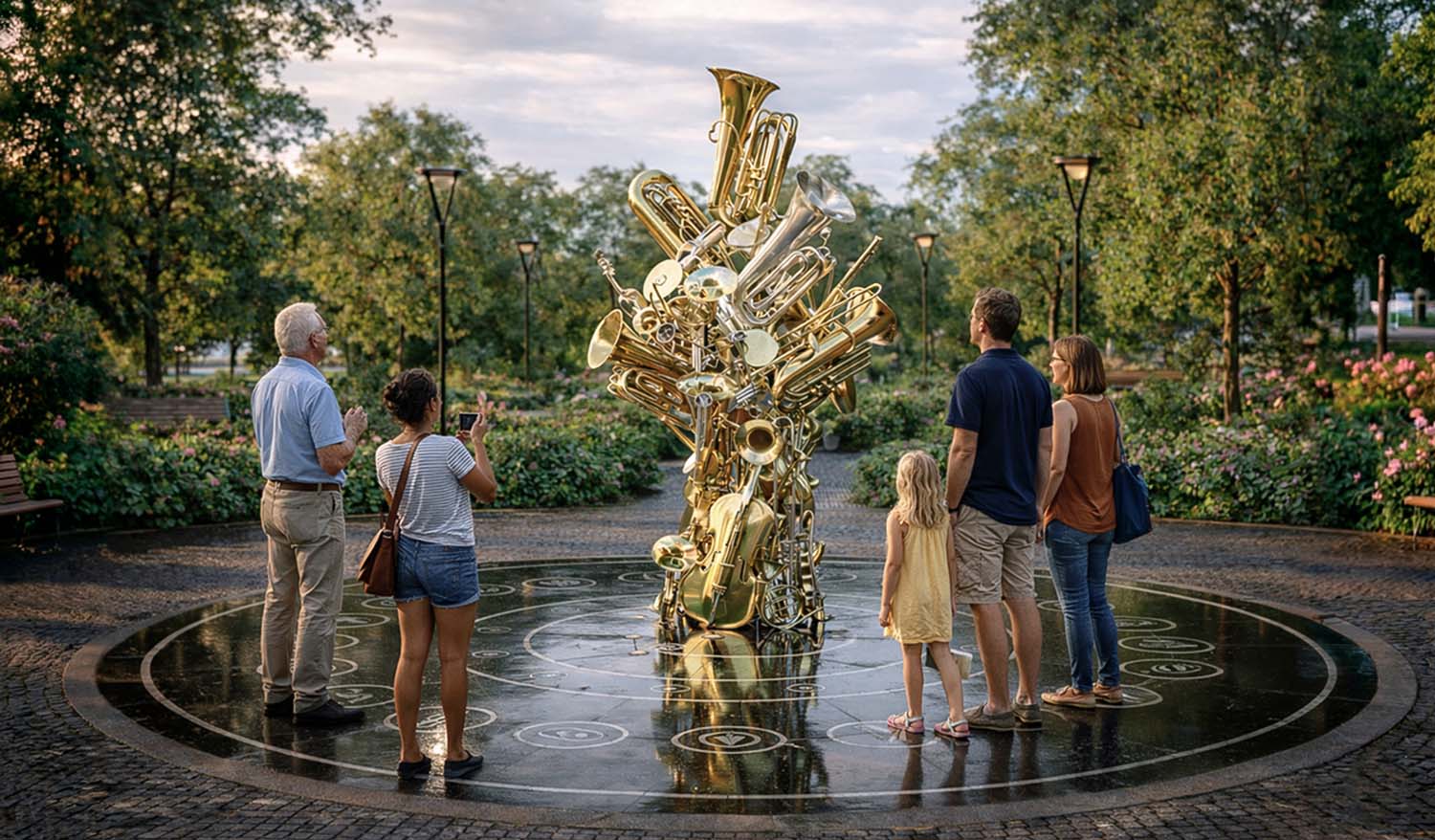
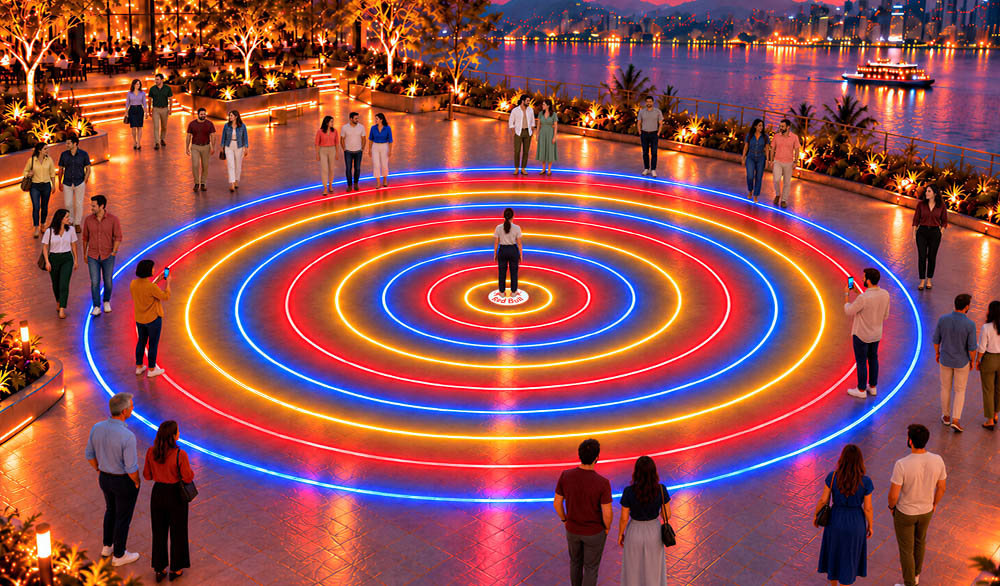
“The Orchestra” transforms urban spaces into a musical stage where children and adults create a composition together. Participants choose a melody and press the instrument buttons to add their sounds.
The lighting effects are synchronized with the music, and the central sculpture with built-in speakers creates the feeling of a live performance.
INTERACTION SCENARIOS
Choose a tune. The participant presses one of the buttons to select a song. The selected The melody serves as the basis for further playing, which other visitors can join in on.
Free Orchestra. Pressing the button plays a musical phrase or an instrumental part. Participants explore different sounds and create their own musical combinations.
Identify the Instrument. The platform plays the sound of a musical instrument. Participants identify it and find the button with the corresponding image, as they explore the variety of orchestral sounds.
Joint concert. The performers combine the parts for various instruments into a light-and-music composition. All it takes is a few people to perform together—there’s no need to press all the buttons.
LOCATIONS
City squares, parks, waterfronts, areas within residential complexes, shopping and cultural centers, and spaces in front of concert halls and music schools.
DIMENSIONS
The overall dimensions of the site are 7 meters in diameter.
The central sculpture is 3.25 meters tall.
Interactive buttons with tools—19 pieces (500 mm in diameter).
Buttons featuring sponsor logos—3 pieces (500 mm in diameter).
Music track selection buttons — 12 (200 mm in diameter).
Ring lights — total length: 40 running meters.
KEY ELEMENTS
Floor-mounted interactive light buttons, ring-shaped light fixtures, a musical sculpture with lighting and speakers, informational signs, and a system for controlling lighting, sound, and interactive scenarios. The buttons and lights are installed flush with the paving. Soft lighting and music play in the background.
The number of buttons, tools, and features can be customized to meet the customer’s needs. Sponsored buttons can announce the brand name or trigger custom scenarios.